LocaleSmith
The text behind every .resx key, right where the key is used: values after the line, every translation on hover, missing translations and wrong placeholders flagged before your users see them.
Free · Visual Studio 2022 and 2026 · 14 UI languages · no telemetry
Why LocaleSmith
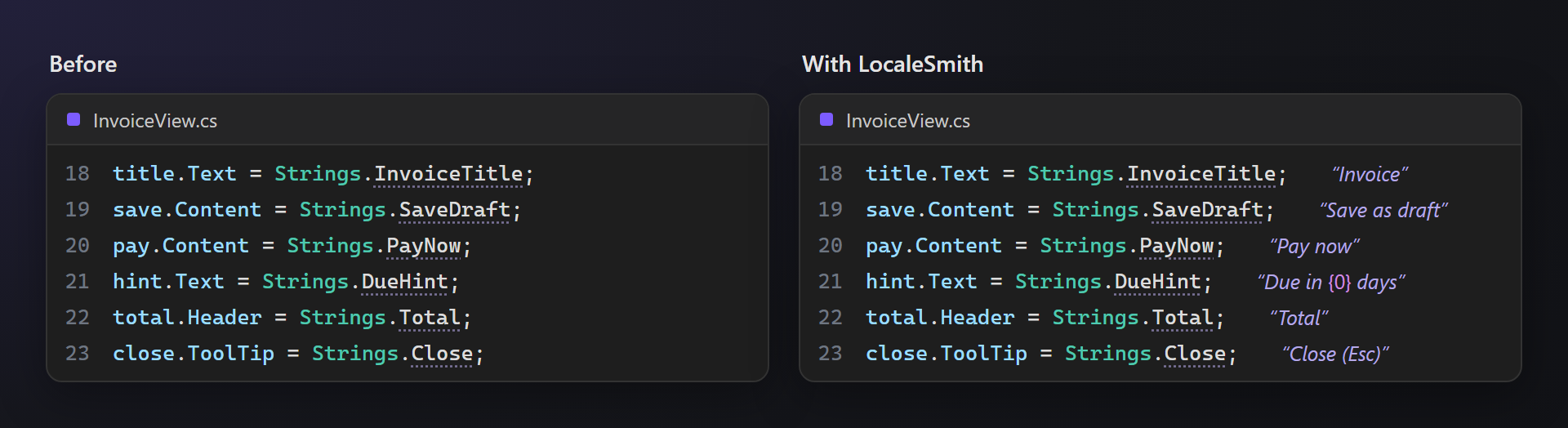
Code you can read
Strings.InvoiceSaved says little; “Invoice {0} saved” says everything. The text stands after the line, quiet and italic.
Every language at hand
Hover a value for all its translations, or switch the whole editor to German or Japanese to see your screens before you run the app.
Mistakes before users see them
Missing translations, a {1} the default text does not have, a typo in a key, a string.Format with too few arguments — underlined in the code.
Free, without strings attached
No subscription, no trial, no nag screens, no telemetry. Works on Visual Studio 2022 and 2026, x64 and ARM64.
Features
- Values next to keys: the text of each key after its line, in quotes; placeholders like
{0}are colored, line breaks shown as ↵. - Preview language: the values in any language of your resources; a value .NET would take from the default resources is yellow with ⚠.
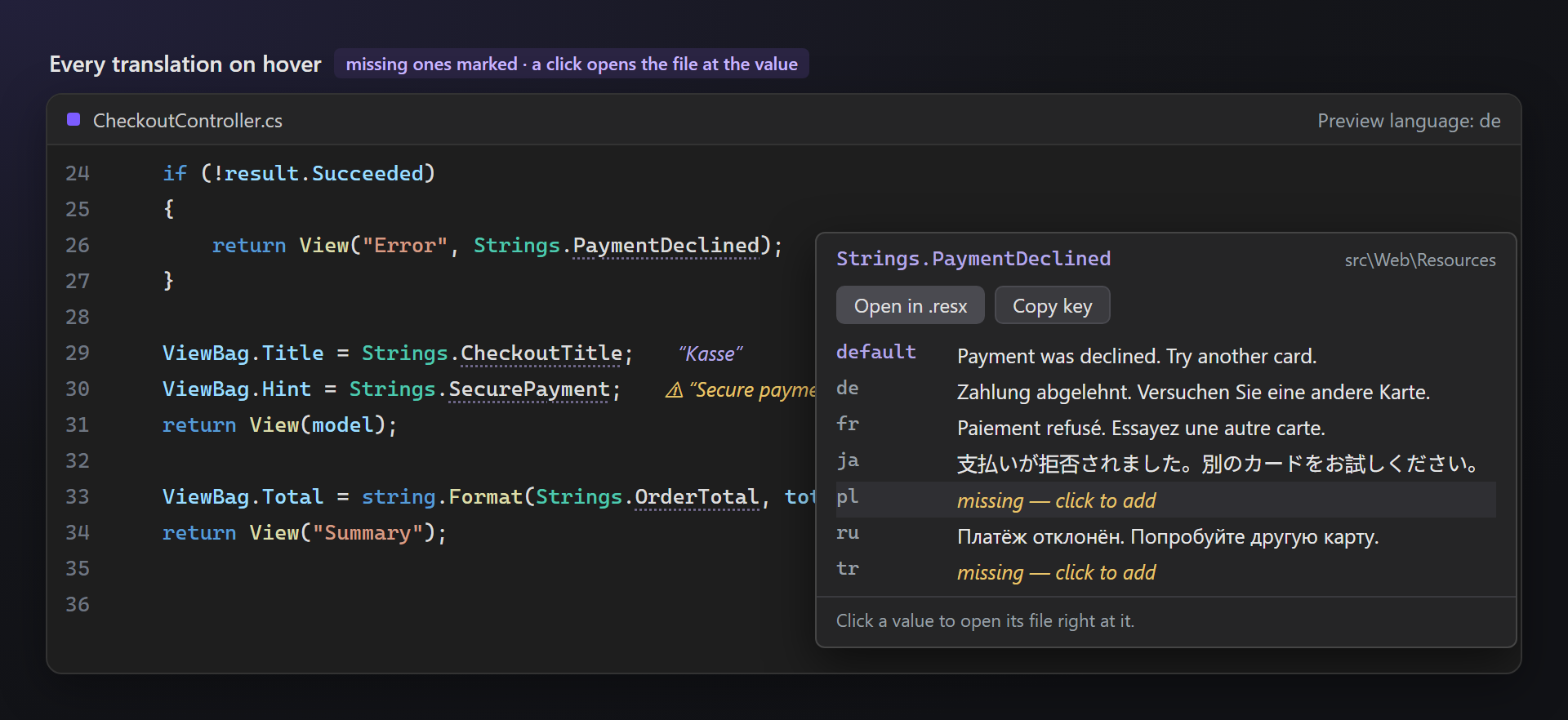
- Every translation on hover: a card with all languages of the key; a click opens that language's .resx right at the value — a missing one is added for you.
- Problems in the code: missing translations, placeholder mismatches, unknown keys and
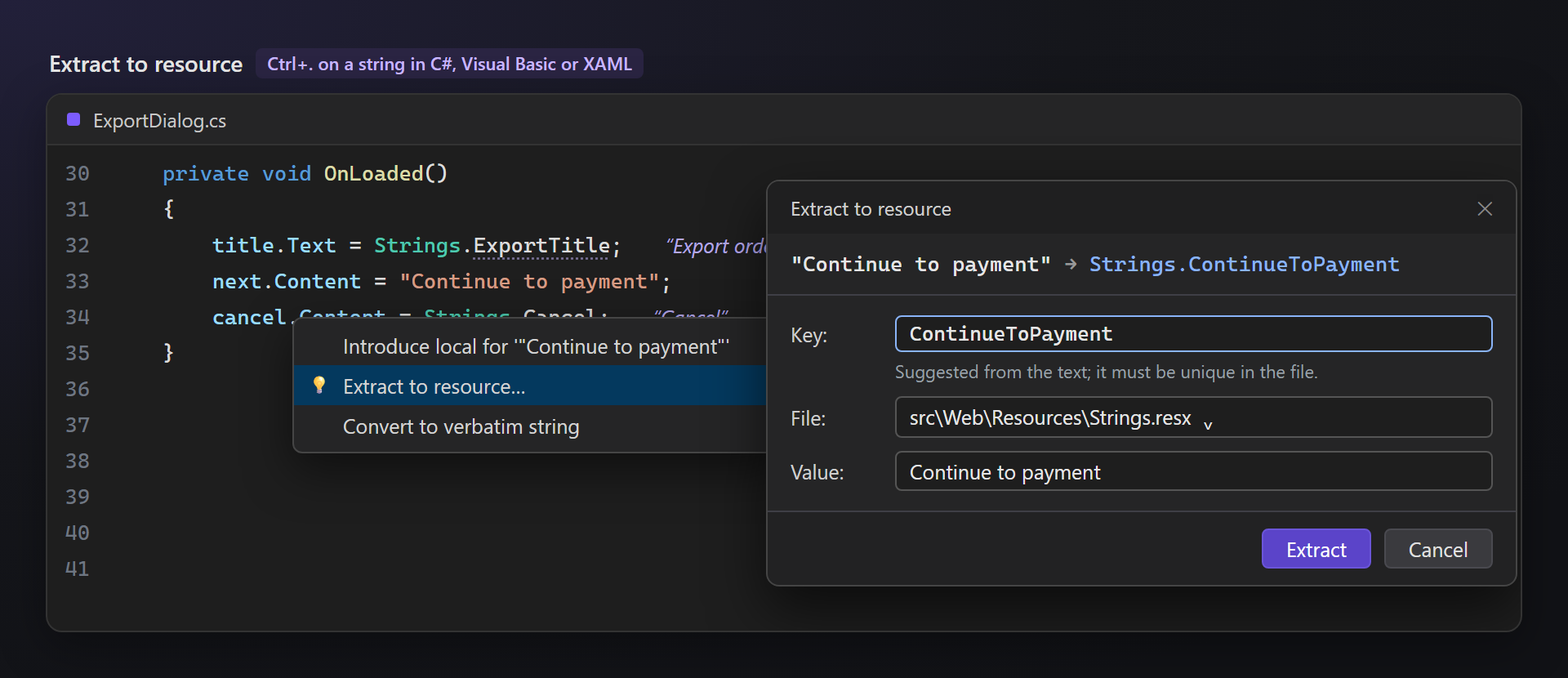
string.Formatcalls with the wrong number of arguments, as squiggles. - Extract to resource: Ctrl+. on a string in C#, Visual Basic or XAML moves it to a .resx file and puts the key in its place.
- Always up to date: the .resx files of the solution are read in the background and watched; a saved change shows at once.
- Dark and light themes: the colors follow the theme of Visual Studio.
Keys it recognizes
| In the code | Where |
|---|---|
Strings.Key, Properties.Resources.Key | C#, Visual Basic, F# |
{x:Static res:Strings.Key} | XAML (WPF, WinUI, MAUI, Avalonia) |
localizer["Key"], @Localizer["Key"] | ASP.NET Core and Blazor: IStringLocalizer, IViewLocalizer |
GetString("Key") | ResourceManager and localizers |
Every translation on hover
Rest the pointer on a value: the card lists the key in every language, missing ones in yellow. Click a language to open its .resx with the value selected — just type over it. Open in .resx and Copy key are at the top.
Problems
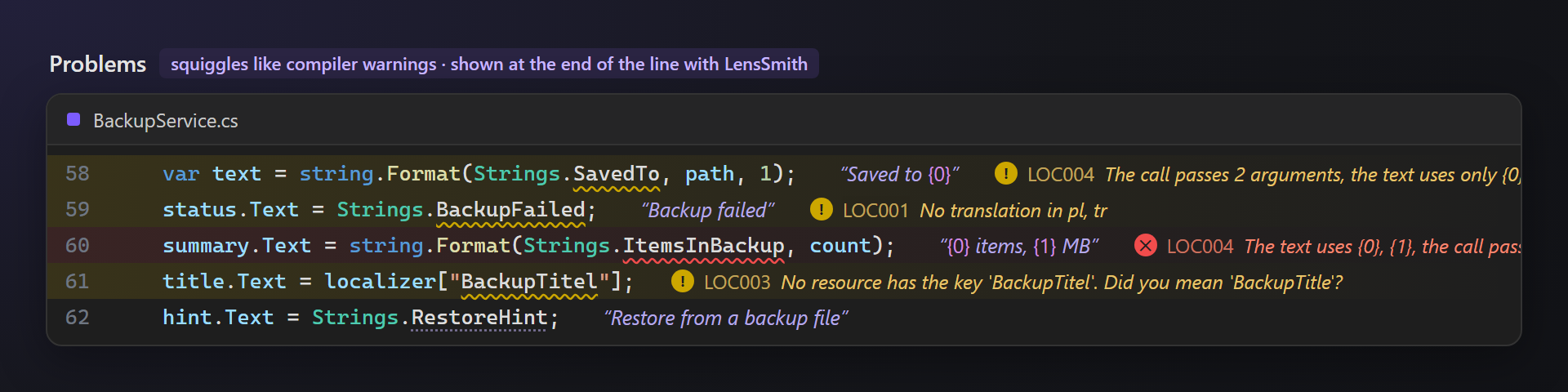
Problems are squiggles like compiler warnings, so every tool that shows those shows these too — LensSmith writes them at the end of the line. Each rule can be turned off.
| Rule | What is underlined |
|---|---|
| LOC001 | A key that some language files do not have, with the list of those languages. |
| LOC002 | A translation with other placeholders than the default text; an extra one fails at run time and is an error. |
| LOC003 | localizer["Key"] or GetString("Key") with a key no resource file has, with the closest existing key. |
| LOC004 | string.Format(Strings.Key, …) with fewer arguments than the text needs (an error) or more than it uses (a warning). |
Extract to resource
Put the caret in a string and press Ctrl+. — Extract to resource… suggests a key from the text and the closest .resx file. If the file already has the text, its key is used. The string is replaced by Strings.Key (with the namespace when the file does not import it) or {x:Static res:Strings.Key} in XAML, where the xmlns is added for you.
Settings
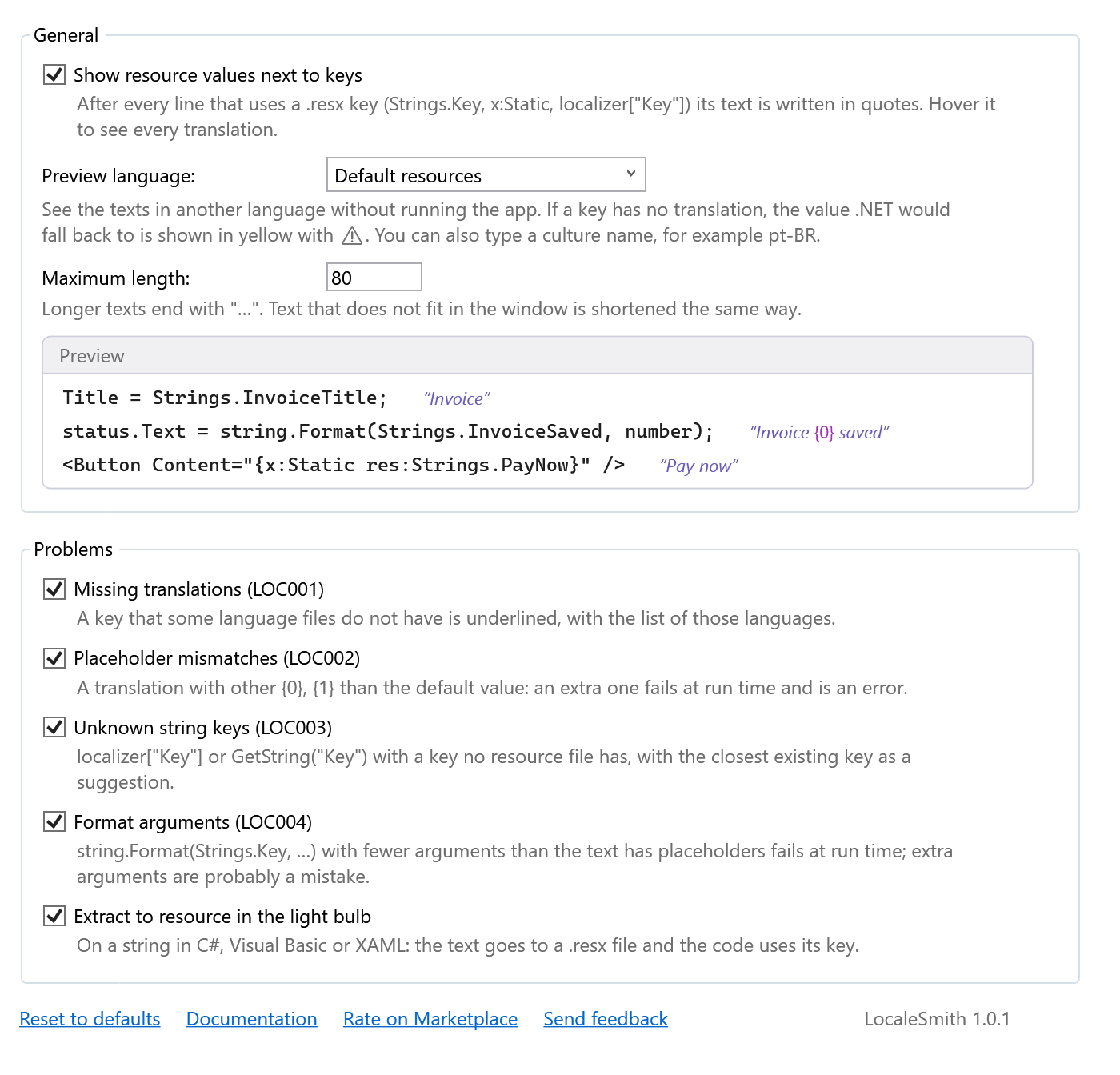
Tools → Options → SmithWorks → LocaleSmith. Every option has a description, and the preview at the top shows the values in the chosen language right away.
| Option | Default |
|---|---|
| Show Resource Values Next to Keys | on |
| Preview Language | Default resources |
| Maximum Length | 80 |
| Problems: LOC001–LOC004 | all on |
| Extract to Resource in the Light Bulb | on |
Settings are stored in %LocalAppData%\LocaleSmith.
FAQ
Which .resx files does it read?
Every .resx file under the folder of the solution (the one with the .sln or .slnx file, or the repository root), except bin, obj and node_modules. Images and other non-text resources are skipped.
Why is there no value after a key?
The key must exist in a .resx file of the solution and its class name must match the file name (Strings.resx → Strings; dots become underscores, as the generator does). Values appear a moment after a solution opens, when the files are read.
After Extract, the new property is underlined. Why?
The strongly typed class (Strings.Designer.cs) is regenerated right away when the project uses a custom tool for it; projects that generate it during the build get the property after the next build.
{x:Static} does not find my resource class in XAML.
x:Static needs a public class. Set the access modifier of the .resx file to Public in the resource designer, or use a public wrapper.
Does it work together with LensSmith?
Yes. Both write at the end of lines, so they share that space: the value of a key comes first, the diagnostic message after it. LocaleSmith problems appear in LensSmith like any other warning.
Does LocaleSmith send any data?
No. There is no telemetry and no network access; your resource files stay on your machine.
Where do I report a problem or suggest a feature?
Open an issue in the Feedback repository on GitHub — there are forms for bugs and ideas (please change private names). You can also use the Q&A tab on the Marketplace.
Changelog
1.0.1
- “Rate on Marketplace” link in the settings.
1.0.0
- First public release.