ChristmasSmith Themes
Two Christmas and New Year color themes for Visual Studio: Christmas Night, a winter night by the tree, and Christmas Light, a snowy morning. Cranberry baubles, pine branches and gold tinsel for the whole IDE and the code editor — festive, and still comfortable for a full working day.
Free · Visual Studio 2022 and 2026 · dark and light · no code, only colors
Why ChristmasSmith
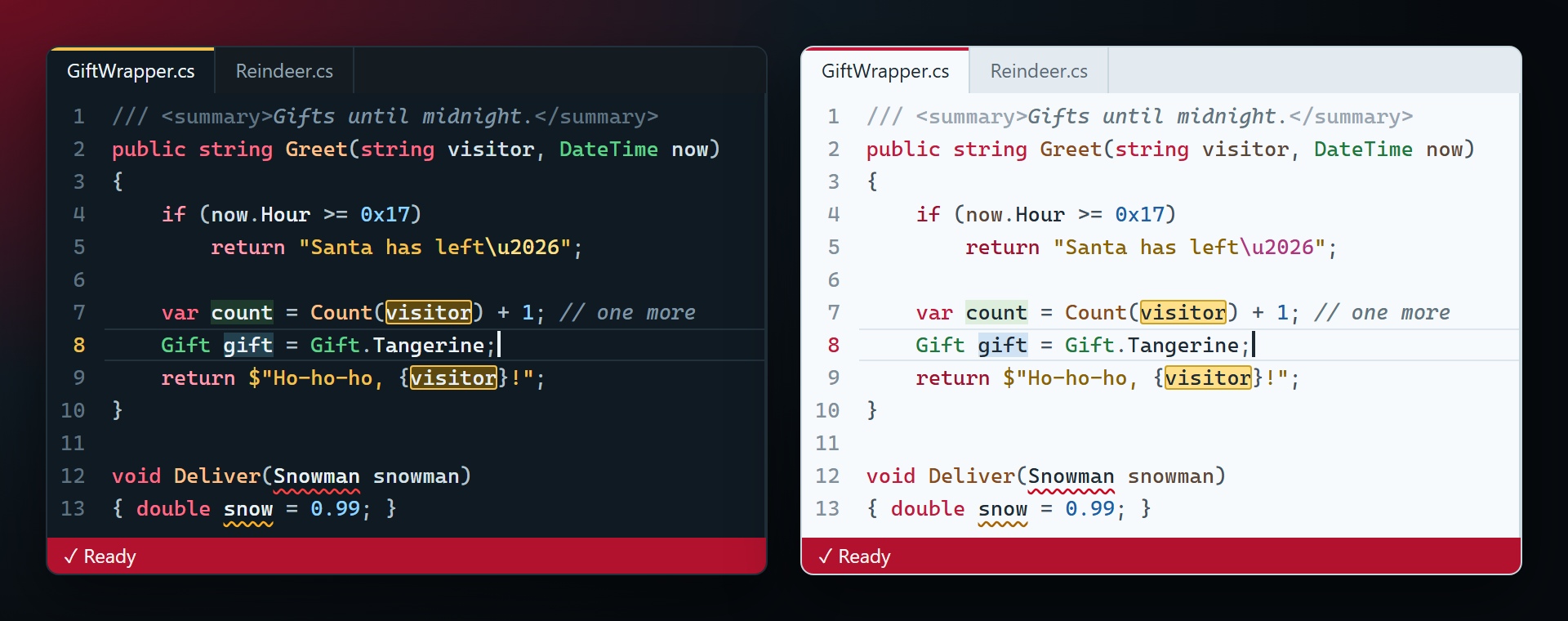
A dark one and a light one
Christmas Night for the long winter evenings, Christmas Light for the day. The same ornaments in both: cranberry keywords, pine-green types, gold strings, gingerbread methods.
Made for coding, not only for a screenshot
Every syntax color stays readable on its background. Keywords are cranberry, not pure red, so a bright red error squiggle still stands out; types differ from keywords in brightness too, not only in red and green.
The whole IDE
Title bar, tabs, Solution Explorer, tool windows, menus, the status bar (a red bauble, gold while debugging, pine green while building) and the editor: selection, current line, find highlight, brace matching.
Free, nothing else
No subscriptions, no "pro" version, no data collection, no messages at startup. There is no code inside — only colors — so it never asks for anything, not even a rating.
The themes
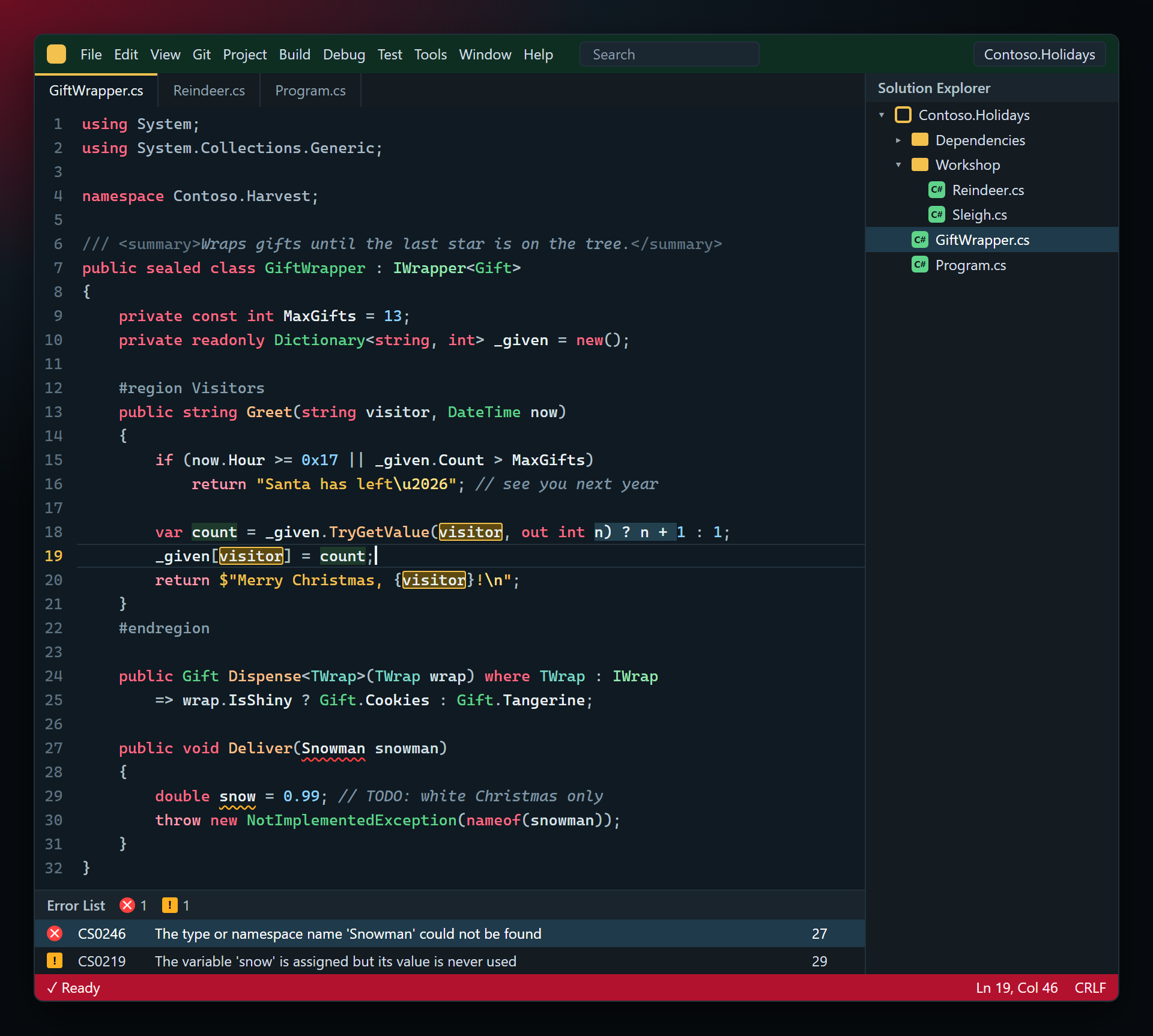
Christmas Night
A winter night by the tree. Keywords are cranberry baubles, types pine branches, strings gold tinsel, numbers ice, methods gingerbread; comments are frosted glass. The status bar is a red bauble, the accent is gold.
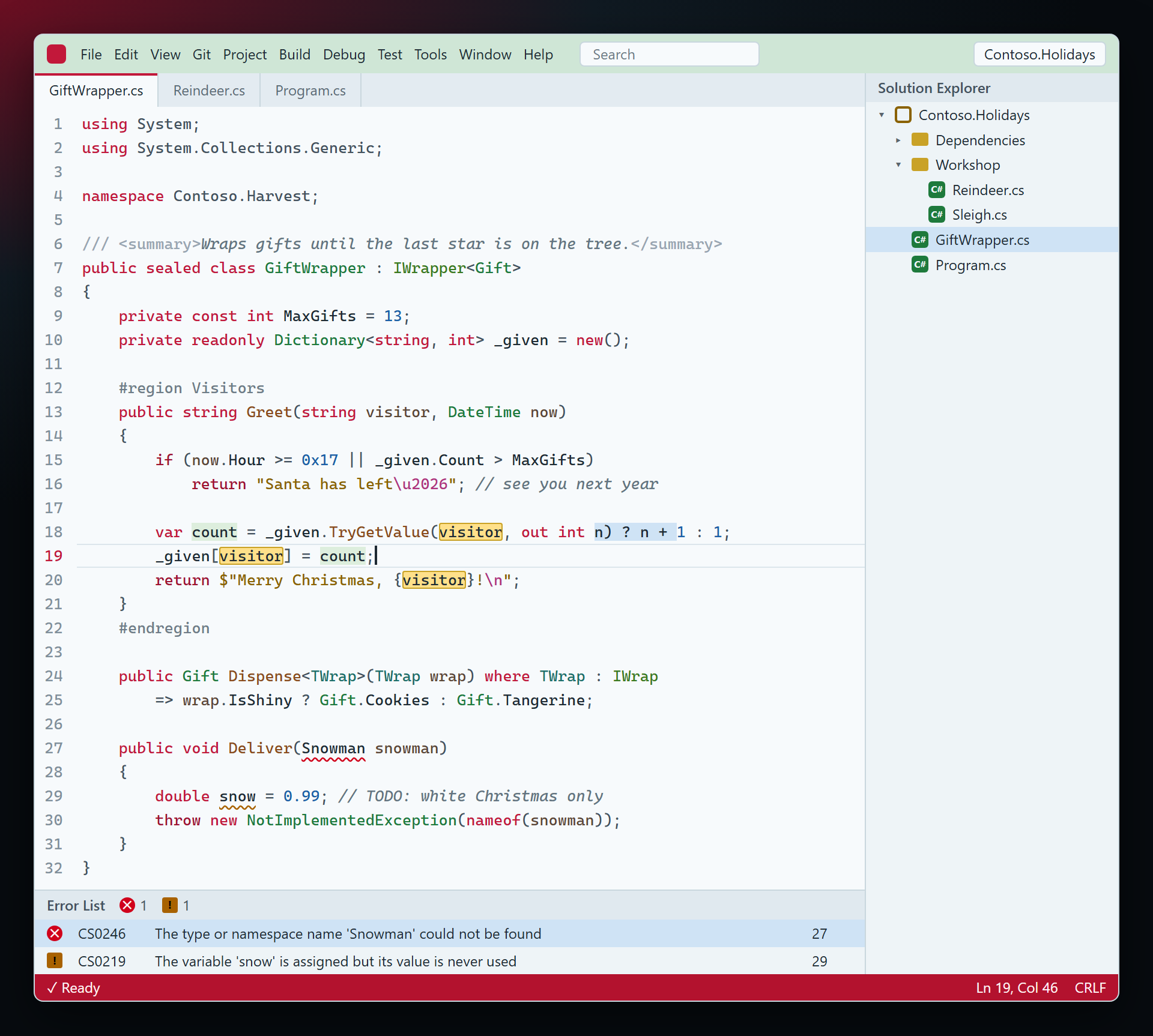
Christmas Light
A snowy morning. Snow-white background with blue-grey ink, cranberry keywords, pine-green types, gold strings, gingerbread methods; the window frame is pale pine.
Turn it on
Visual Studio 2026
- Tools › Theme › Christmas Night (or Christmas Light).
- Tools › Editor Appearance › Match Theme — the editor then takes the Christmas colors too. With Light or Dark chosen there, the code keeps the usual colors.
Visual Studio 2022
- Tools › Options › Environment › General › Color Theme › Christmas Night or Christmas Light. The editor follows the theme by itself.
Colors you changed yourself in Tools › Options › Environment › Fonts and Colors stay on top of any theme. To get the Christmas ones there, reset those items to their defaults.
Colors
The main colors of the editor. The rest of the IDE is built from the same palette.
| What | Christmas Night | Christmas Light |
|---|---|---|
| Background | #101A22 | #F7FAFC |
| Text | #EAF2F5 | #1E2A33 |
| Keywords | #FF6B86 | #C2183A |
if, return, throw | #FF9CB0 | #9E1230 |
| Classes and structs | #5FD38A | #1E7A3C |
| Strings | #F2C14E | #8A6200 |
| Numbers | #8FD3FF | #1B5FA8 |
| Methods | #FFC08A | #8A4B1C |
| Comments | #7F95A3 | #637481 |
| Error squiggle | #FF4040 | #D0021B |
| Warning squiggle | #FFB020 | #A86200 |
| Status bar | #B3122E | #B3122E |
The main syntax colors — text, keywords, types, strings, numbers, methods — have a contrast of at least 5:1 with the background, above the 4.5:1 recommended for normal text; comments are a little softer, from 4.6:1.
FAQ
The IDE is festive, but the code has the usual colors.
In Visual Studio 2026, set Tools › Editor Appearance to Match Theme. If it already is, check Tools › Options › Environment › Fonts and Colors: colors you changed there stay above any theme.
Why do the Christmas themes have no color square in the Theme menu?
Visual Studio draws the square only for its own built-in themes. Themes from extensions are listed by name — this is the same for every theme on the Marketplace.
Can I have the Christmas editor with another theme of the IDE?
Not through the menus: Editor Appearance in Visual Studio 2026 offers only its own five choices, and extensions cannot add to them. The editor colors come with the Christmas theme.
Which languages are colored?
C# and Visual Basic get every color, including methods, parameters and interfaces. Other languages use the shared colors — keywords, strings, numbers, comments, types.
Does ChristmasSmith send any data?
No. It contains no code at all — only two color themes that Visual Studio reads.
Where do I report a color that does not look right?
Open an issue in the Feedback repository on GitHub, ideally with a screenshot. You can also use the Q&A tab on the Marketplace.
Changelog
1.0.0
- First release: Christmas Night and Christmas Light for Visual Studio 2022 and 2026 — the whole IDE and the code editor.